Smartphone Photography Hacks for Stunning Mobile Pictures
Your phone camera is far more powerful than you think. With a few pro-tested hacks, you can make images that look like they were shot on a dedicated camera—no expensive gear required.
Start Right: Fast Setup Before You Shoot
- Clean the lens with a microfiber cloth or soft shirt hem. One quick wipe delivers instant sharpness and better contrast.
- Max out quality: in camera settings, choose the highest resolution. Enable RAW/ProRAW/DNG if your phone supports it for advanced editing.
- Turn on gridlines to help with horizons and composition (thirds, symmetry).
- Check aspect ratio:
- 4:3 captures maximum sensor area (best for editing).
- 16:9 looks cinematic and is great for landscapes and video-friendly frames.
- 1:1 or 4:5 crops well for social feeds.
- Enable HDR/Smart HDR for high-contrast scenes to retain sky detail and shadow texture.
- Control storage: leave 10–20% free space to avoid slowdowns and missed shots.
- Shortcut access: add the camera to lock screen or quick toggles so you never miss a moment.
Composition Hacks That Instantly Elevate Your Photos
- Rule of thirds: place the subject or horizon on a gridline or intersection. Simple, reliable, effective.
- Leading lines: roads, railings, shadows, or shorelines that guide the viewer’s eye to your subject.
- Symmetry and reflections: center the frame and use water, glass, or polished floors for mirror-like balance.
- Fill the frame: get closer to remove clutter. If you can’t, zoom with your feet or crop later—avoid digital zoom unless it switches to a telephoto lens.
- Foreground interest: add leaves, hands, or architecture close to the camera to create depth and a 3D feel.
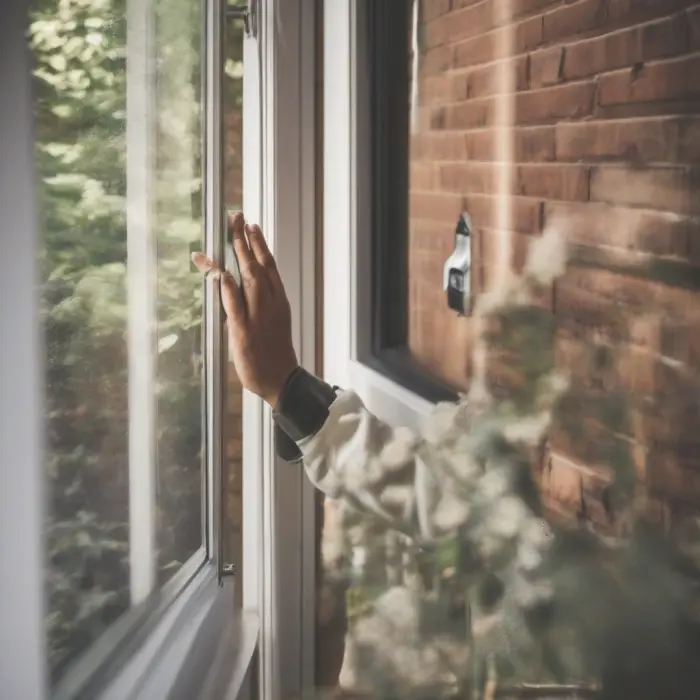
- Frame within a frame: doorways, windows, arches, tree branches isolate your subject and add context.
- Change perspective:
- Low angle for drama and strong lines.
- High angle for tidy flat-lays or storytelling scenes.
- Negative space: leave air around the subject (blank sky or wall) to make it pop.
- Odd-number grouping: groups of 3 or 5 feel naturally balanced in many scenes.
- Mind the edges: scan corners for distractions, cutoffs, or awkward objects before you press the shutter.
Light: The Secret Ingredient
Light shapes mood, color, and texture. Use it deliberately.
- Golden hour (shortly after sunrise, before sunset): soft, warm, and flattering. Turn your subject toward the light for catchlights in the eyes.
- Blue hour (twilight): cool tones and glowing city lights; great for silhouettes and architecture.
- Backlight for drama: shoot toward the sun for rim light around hair and leaves. Tap your subject and lower exposure to avoid blown highlights.
- Diffuse harsh sun: use a hat, translucent paper, or a white shirt to soften midday shadows.
- Use reflectors: a white napkin, notebook, or car sun visor can bounce light back into faces.
- Window light: rotate the subject for flattering side or Rembrandt lighting; use curtains as a diffuser.
- Mixing lights: avoid mixed color temperatures (tungsten + daylight) when possible; if not, correct white balance in editing.
Pinpoint Focus and Accurate Exposure
- Tap to focus: tell the camera what matters. Faces and eyes should be tack sharp.
- Lock focus and exposure: tap-and-hold until you see AE/AF Lock, then slide exposure up/down for precise brightness.
- Expose for highlights: if the sky is bright, drag the exposure slider down to keep detail; you can lift shadows later.
- Use Pro/Manual modes if available:
- Lower ISO for cleaner images.
- Adjust shutter speed for motion blur or freeze action.
- Tweak white balance to match the scene.
- Avoid digital zoom: switch lenses in-app (0.5x ultrawide, 1x wide, 2x/3x tele) or crop later to preserve detail.
Stability = Sharpness
- Use the body brace: tuck elbows in, hold with two hands, and exhale gently as you tap the shutter.
- Volume buttons as shutter: reduce shake versus tapping the screen.
- Self-timer or remote: 2–3 second timer or a Bluetooth remote prevents blur—perfect for low light and night mode.
- Improvise support: rest the phone on a wall, backpack, or coffee cup. Wedge with a wallet for angle control.
- Mini-tripod or clamp: tiny, cheap, and incredibly effective for long exposures and group shots.
Creative Motion: Blur, Pan, and Pop
- Long exposure water: use a tripod. On iOS, try Live Photo → Long Exposure. On Android, use Motion Photo or a slow-shutter app; keep ISO low.
- Light trails: steady phone, slow shutter (1–4s+), lowest ISO, and wait for cars to pass. A small ND filter for phones helps under bright conditions.
- Panning: track a moving subject with a 1/10–1/30s shutter if your phone allows. Subject stays sharp; background streaks.
- Burst for action: hold the shutter to capture many frames; pick the sharpest or create a sequence collage.
Portrait Hacks for Flattering People Photos
- Find clean backgrounds and step your subject away from clutter for separation.
- Use portrait mode thoughtfully: keep some distance and good light to help edge detection; avoid hair and glasses merging with the background.
- Catchlights: have the subject face a window or hold a phone screen/LED as a soft key light for sparkle in the eyes.
- Three-quarter turn: angle shoulders slightly; chin forward and down for a defined jawline.
- Skin tone accuracy: tap on skin to set exposure and color; adjust warmth in editing if needed.
Macro and Detail Shots
- Get closer until the phone struggles to focus, then pull back a hair—every phone has a minimum focus distance.
- Use more light for crisper textures and lower ISO. A small LED or even another phone’s flashlight bounced off paper works well.
- Clip-on macro lens can magnify tiny subjects; align carefully to avoid vignetting.
- Stabilize—even tiny movements ruin macro sharpness. Use a stand, timer, or remote.
Night and Low-Light Mastery
- Night mode + support: brace the phone; the camera stacks frames for cleaner results. Hold still until processing finishes.
- Manual tweaks: if your phone allows, set a slower shutter and the lowest ISO you can manage without blur.
- Look for pools of light: neon signs, street lamps, storefronts. Place subjects just inside the light edge for cinematic contrast.
- Silhouettes: expose for the brightest area and let subjects go dark for a graphic look.
- Reduce noise in editing: apply modest noise reduction, then add a touch of sharpening and clarity.
Panoramas and Ultrawide Tricks
- Vertical pano: turn the phone sideways and sweep upward to capture tall trees, buildings, or interiors.
- Slow, steady sweep: pivot from your hips to avoid wavy lines; keep the arrow on the guide.
- Lock exposure first to avoid brightness shifts across the pano.
- Mind ultrawide distortion: keep horizons centered and lines vertical; step back and crop if edges warp.
Color, Style, and Editing Workflow
Editing is where your image gets its final polish. Keep it subtle and intentional.
- Cull first: pick your best frame before editing to save time.
- Start with basics: exposure, contrast, white balance, and crop/straighten.
- Refine locally: use selective tools (brush, radial, or linear gradients) to lift faces, darken skies, or add depth.
- Color grade lightly: adjust vibrance before saturation; try split-toning for mood (warm highlights, cool shadows or vice versa).
- Sharpen last: apply modest sharpening and structure; overdoing it creates halos and noise.
- Export smart:
- JPEG/HEIF for sharing; keep quality high to avoid banding.
- 4:5 vertical crops tend to fill social feeds well; 16:9 works for stories and widescreen.
- Add alt text when posting for accessibility and SEO.
Small Accessories, Big Impact
- Microfiber cloth: indispensable for crisp glass.
- Mini-tripod or clamp: stability for long exposures, group shots, and time-lapses.
- Bluetooth shutter remote: hands-off shots, zero shake.
- LED panel or pocket light: portable, dimmable, and color-adjustable.
- Clip-on lenses (macro, fisheye, tele): fun looks—choose multi-element glass to reduce distortion.
- Phone ND/polarizer filters: tame bright scenes, deepen skies, and cut reflections on water or glass.
Quick Recipes for Common Scenes
Landscape
- Use 4:3 or RAW if available. Tap on the sky and lower exposure to keep cloud detail.
- Add a foreground anchor (rock, grass, flowers) and lead the eye with paths or rivers.
- Try a vertical pano for mountains or tall trees.
Food
- Window light + white reflector opposite the window.
- 45-degree angle for depth; overhead for flat-lays with neat spacing.
- Wipe plates, remove clutter, and enhance texture with a tiny clarity boost in editing.
City Nights
- Use night mode or manual low ISO; brace against a wall.
- Compose with neon and wet streets for reflections; expose for highlights.
- Capture light trails from traffic with a slow shutter app.
Pets and Kids
- Get to eye level; shoot bursts to catch expressions.
- Use continuous autofocus if available; pre-focus where the action will happen.
- Seek open shade outdoors for soft, even light.
Beach and Water
- Enable HDR; expose for highlights to keep foam detail.
- Use a polarizer to cut glare and deepen color.
- Try a long exposure for silky waves—tripod recommended.
Stay Organized: Workflow and Backup
- Albums and favorites: star your best shots as you go; sort by project or trip.
- Cloud sync to protect against loss and free up device space.
- Batch edits and presets: save a look and apply consistently for cohesive galleries.
- Regular clean-up: delete near-duplicates and blurry frames after each shoot.
Etiquette, Safety, and Respect
- Ask permission for close portraits or private spaces.
- Be aware of local rules in museums, performances, and private property.
- Stay safe: watch your footing near edges, water, or traffic when focusing on your screen.
Common Mistakes to Avoid
- Dirty lens haze and fingerprints.
- Crooked horizons and tilted buildings (use grid and straighten tools).
- Overexposed skies—always check and adjust exposure.
- Over-editing: too much saturation, clarity, or HDR halos.
- Digital zoom softness—move closer or crop in post.
One-Minute Pre-Shoot Checklist
- Clean lens and check storage.
- Enable gridlines; pick aspect ratio.
- Set highest quality (RAW if needed).
- Assess light; place subject accordingly.
- Compose; scan edges; tap to focus; adjust exposure.
- Stabilize; shoot a safety burst; review a frame at 100% zoom.